


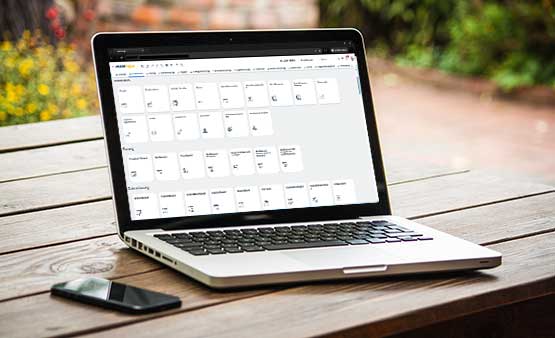

Location- and time-independent project management with the MARIProject Web Client.
Web-based project management with MARIProject
Keep an eye on the project status – anytime, wherever you are.
In addition to the main program and the mobile application, MARIProject also has a Web Client. The main advantage is that you can access your project data anywhere and at any time: In your home office, at the customer’s premises, or on the go.
With the Web Client, you access the same MARIProject database as with the main program using your internet browser. This can be either a HANA or an SQL database. In this respect, MARIProject supports modern, web-based project management with the Web Client.
Almost all functions of the main program are now also available in the web-based version.
Get to know the new MARIProject Web Client:

Web-based project management offers many advantages
With the Web Client, you not only have access to your project data anytime, anywhere, but you can also edit it.
2 Faster processes
You stay up to date with your projects even when you’re on the go. It is possible to approve budgets or hours for faster billing.
3 Up-to-date data
All data that you enter in the Web Client while on the go is immediately available to all employees.
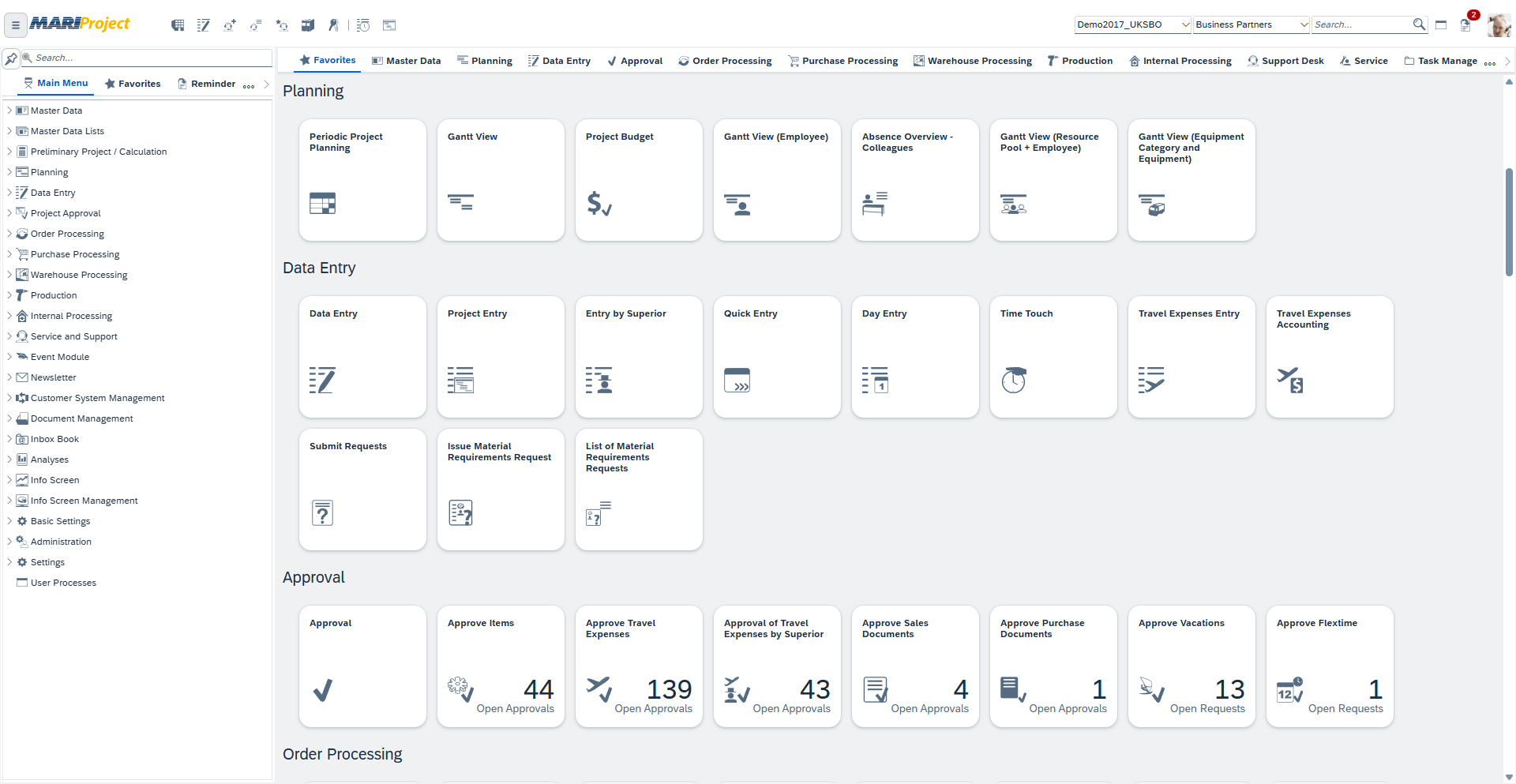
The interface of the MARIProject Web Client
The MARIProject Web Client is based on the SAP Business One Web Client to maintain a consistent user experience.
- The menu structure is almost identical to that of the main program. You don’t have to get used to anything new.
- Favorites and reminders make your work easier.
- A search function and individually adjustable favorites as well as a reminder make it easier to find functions and tasks.
- The quick search for business partners, contact persons, projects, or service tasks delivers the required data in no time.
- Employees can easily and reliably record their working hours via the Attendance or Time Touch window.
- You can record project hours either via data entry, quick entry, or project entry.
- Service or support times in the Service or Support Desk, as known from the main program.
The new MARIProject Web Client
Web-based project management offers many possibilities
In view of the new requirements for mobile working, we have now implemented almost all MARIProject functions in the Web Client:
- Manage business partners and items
- Project Planning:
Quotation costing, resource planning, resource pool planning, availability display, preliminary project planning, planning schema, purchase budget, equipment, calendar synchronization with Outlook, employee calendar etc. - Project Billing:
Quotation costing, project billing, billing wizard, contract creation, material requirements request. - Project Analyses:
Reports, analyses, dashboards with numerous filter options - Workflows with authorizations/approvals
- Production
- Warehouse
- Service and Support Desk for editing, time tracking and billing
- Inbox book with e-invoice processing and a workflow for handling.
Get to know the features of MARIProject:
Data security in the MARIProject Web Client
- MARIProject uses two-factor authentication. This provides increased security when logging in.
- Users do not have to remember an excessive number of passwords.
- In addition, MARIProject, just like SAP Business One, has a centralized, cross-company user administration.
Two factor Authentication with MARIProject:
Interested in MARIProject?
MARIProject is available in over 50 countries and 4 languages.
If you are interested in MARIProject, please contact a MARINGO partner in your area.
Try out the MARIProject Web Client
If you would like to take a first look at the MARIProject Web Client, simply click on the “Try out MARIProject” button, select the language, and log in with the user name “manager” without a password.
However, to familiarize with the time-saving processes of MARIProject, you need some background knowledge. That’s why we recommend that you take advantage of our free product demo.